We’ve updated the Irrigation Scheduler in Semios Hub to give you better visibility into the data that drives your irrigation decisions.
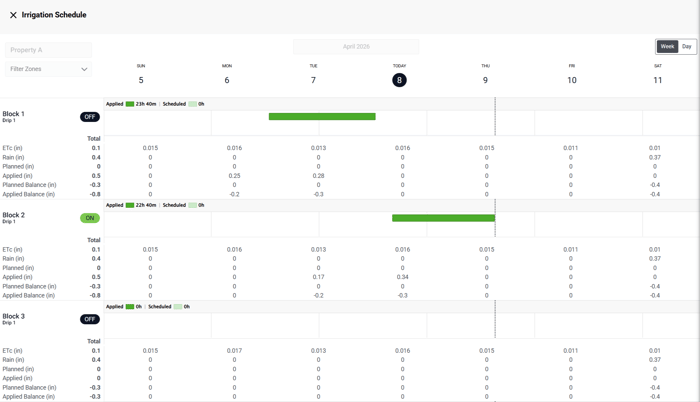
Rather than needing to access irrigation data and plan your irrigation sets on separate windows, key water data you need is now built into the Irrigation Scheduling tool, including:
- Potential crop evapotranspiration (ETc)
- Rainfall
- Water balance (planned vs. applied)
This update also better supports customers who use the water balance method to plan irrigations. Your planned and applied irrigation amounts effect on your water balance is automatically calculated and shown in the Irrigation Scheduler.
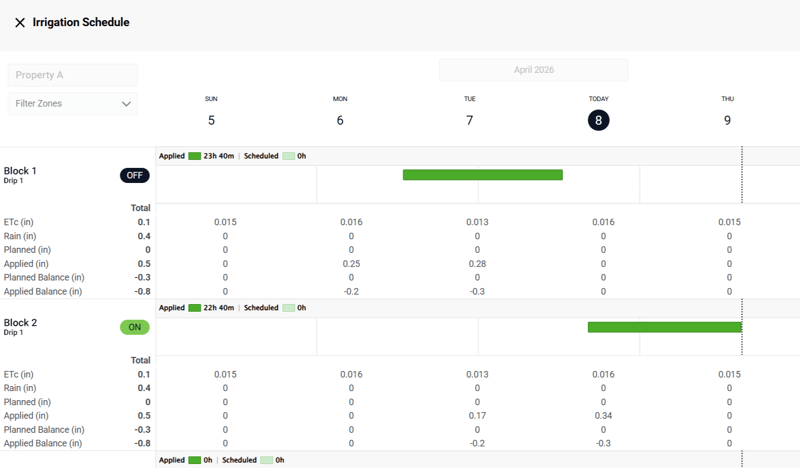
Semios customers can now schedule their irrigation sets with ETc, rain, water balance, and applied vs. scheduled irrigation data on one screen.
Now when scheduling irrigation, you can see the immediate impact of your planned irrigation before applying it, helping you save time and make more informed decisions.
How to Use
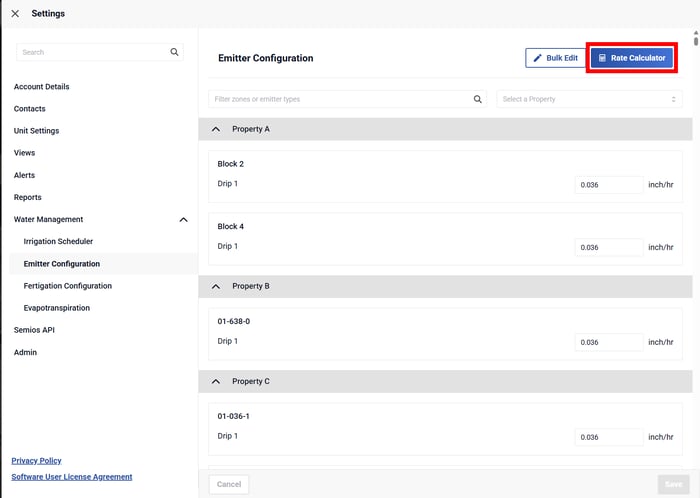
- Make sure emitter configurations are properly set before using the Irrigation Scheduler. This ensures Hub can accurately calculate water applied. You can set emitter configurations in Semios Hub under Settings > Water Management > Emitter Configuration.
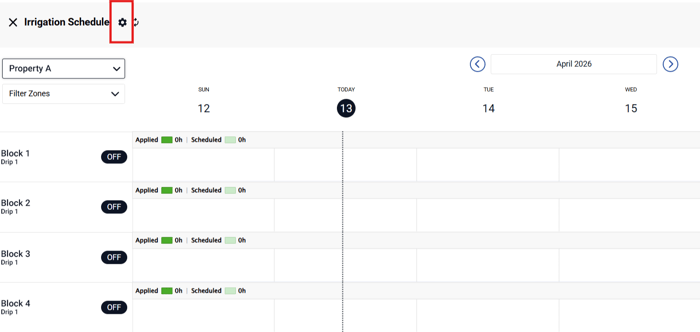
- Go to Irrigation Scheduler and click on Advanced Settings (gear icon in top left corner).
- Check the box that says “Show planning data (ETc, Rain, Water Balance).
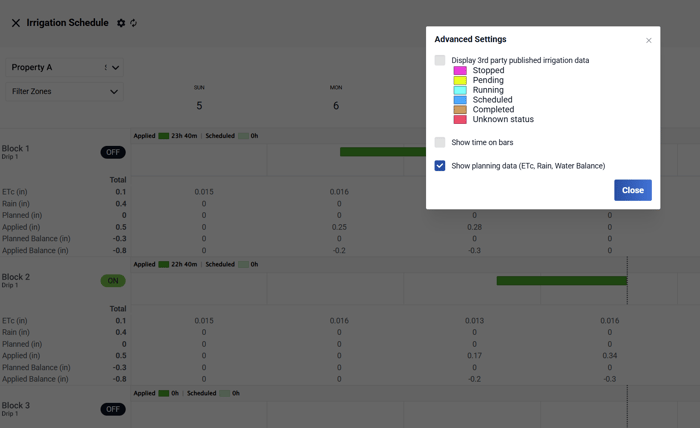
- The ETc, rain, and water balance data will now appear within the irrigation scheduler. Once a planned irrigation event is saved, the Planned Balance data will be updated.
If you have any questions or need help setting this up for your account, please don’t hesitate to contact your Semios customer support specialist.